What Happens to Audio Quality During Multiple Format Conversions
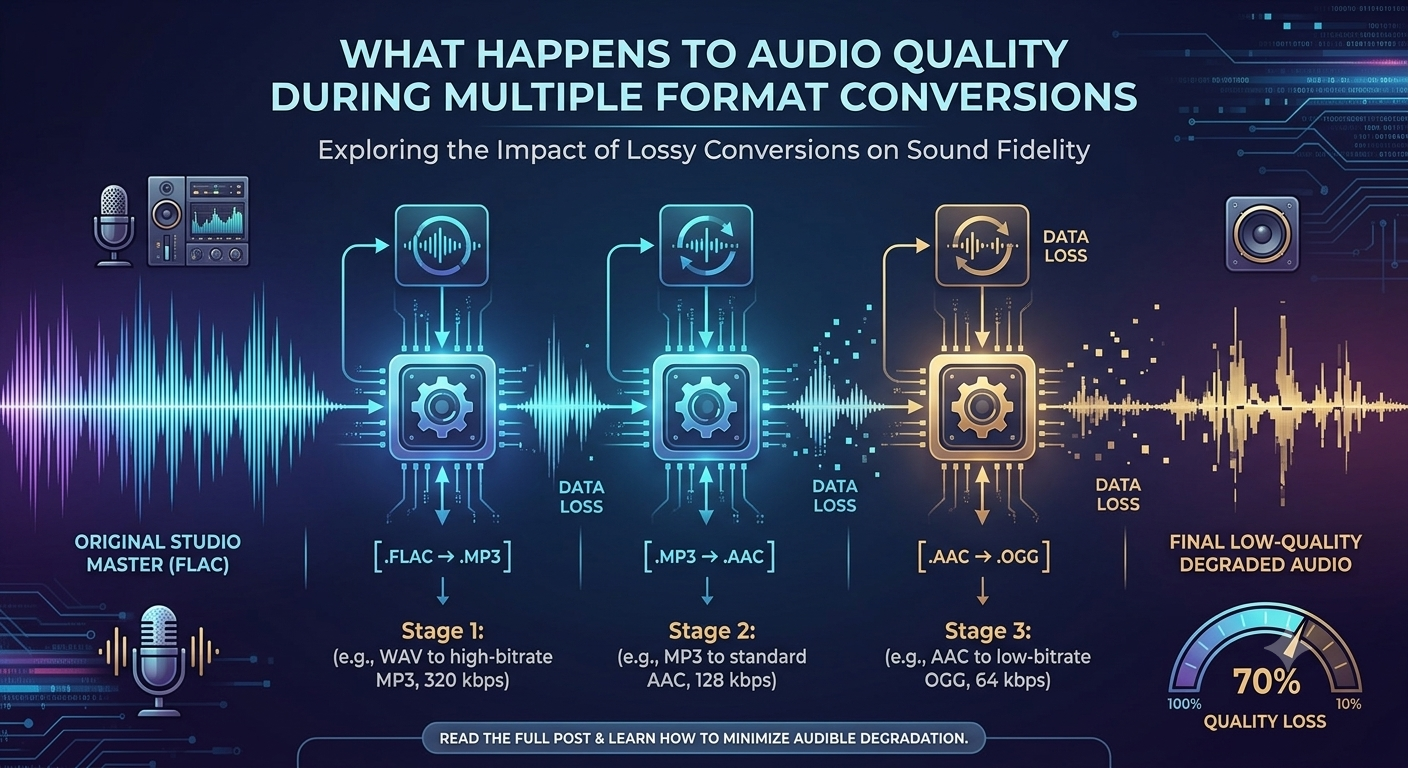
You can save digital audio in different audio, such as MP3, WAV, AAC, and FLAC. People usually need to change formats to make file easier to play, share, or store. While converting file once may not always cause a big difference in result, repeated conversion can affect the quality of the audio file.
Major people use online platform or services to manage audio file from various sources. For example, someone might use MP3 Juice to find audio content and then convert or save it in a format that works with their device, where such a permission in taken from owner. By knowing what happen during these conversion can help users make good choice about file quality and storage.
What Happens During an Audio Conversion?
Audio conversion changes the format of how digital sound is stored in a file. The converter reads the original audio data, and creates a new file based on the settings of the format you select.
Some formats keep most or all of the original audio information, while others cut out parts of the sound to make the file smaller. It is contingent upon the type of conversion. How much info is kept.
Lossy vs. Lossless Formats
The biggest difference comes from whether a format is lossy or lossless. MP3 and AAC are common lossy formats. They reduce file size by removing some audio information that may be difficult for people to hear.
WAV and FLAC can preserve more of the original information. FLAC uses compression without throwing away audio data, while WAV files are often much larger.
Because of these differences, converting between formats does not always have the same effect on quality.
Why Repeated Conversions Can Reduce Quality
The main problem happens when an audio file is repeatedly converted between lossy formats. Each conversion may remove additional audio information.
For example, imagine an original recording is converted from a high-quality source to MP3. If that MP3 is later converted to another lossy format and then converted back to MP3, the new file may contain fewer details than the original.
The change may be small after one conversion, but repeated processing can make the difference more noticeable.
Bitrate Also Matters
Bitrate describes how much audio data is used each second. A higher bitrate generally allows more audio information to be retained in a lossy file.
When converting audio several times, using a low bitrate can make quality loss more obvious. However, simply selecting a higher bitrate during a later conversion cannot restore details that were already removed.
This is why starting with the best available source is usually more important than trying to improve a low-quality file afterward.
How an MP3 Music Downloader Can Affect Your Workflow
An MP3 music downloader may provide audio files in different quality levels depending on the source and available settings. If users plan to convert those files again, starting with a good-quality source can help reduce unnecessary quality loss.
It is also better to avoid converting a file repeatedly just to change its extension or make small adjustments. If possible, users should convert directly from the original or highest-quality source to the format they actually need.
Common Signs of Quality Loss
Repeated conversion can sometimes produce noticeable changes in sound. High frequencies may become less clear, background details can become weaker, and the audio may sound less natural.
In more extreme cases, users may notice distortion, a harsh sound, or other compression artifacts. These problems are more likely when a low-quality file has been processed multiple times.
How to Protect Audio Quality
There are several simple ways to reduce unnecessary quality loss. Keep an original copy of important recordings in a lossless or high-quality format. Convert that original only when a different format is needed.
Avoid repeatedly converting the same lossy file. Also, choose a suitable bitrate and format based on how the file will be used. For everyday listening, a reasonable MP3 quality may be enough, while editing or archiving may require a lossless format.
Final Thoughts
Repeatedly converting audio can degrade sound quality over time, especially when converting lossy formats again and again. Any process can discard some additional audio information, and the following conversion will never be able to retrieve the lost information. Maintaining better audio quality: Users should maintain their original files as much as possible and avoid unnecessary conversions. They should choose the most appropriate formats and use good quality sources. Always ensure you are entitled to download, convert, or store the content you use.